
# What Is Unified Communications And How Does It Work
Ever heard of Unified Communications, or UC? Think of it as the ultimate command center for all the ways your team talks, shares, and works together.
It pulls everything—voice calls, video meetings, instant messages, file sharing—out of their separate silos and into one clean, integrated platform. Instead of bouncing between different apps, everything just works together.
# Your All-in-One Communication Hub
Picture a typical workday. You start a conversation over email, switch to a chat app for a quick follow-up, and then jump on a video call for the deep dive. Each switch is a small speed bump, a moment where context gets lost.
That's the exact problem UC was built to solve. It’s less about the individual tools and more about how they’re stitched together to create a smooth, uninterrupted flow.
At its heart, unified communications is about making complex interactions feel simple. It’s about knocking down the walls between different ways of talking so your team can focus on the actual conversation, not the software.
This tight integration makes for a more natural way of working. A quick chat can become a video call with a single click, pulling in colleagues without anyone needing to hunt for a meeting link. The entire conversation history stays in one place, which saves a ton of time.
# How It All Connects
The real magic of a UC platform is how it understands what you're doing. For instance, when you join a video meeting, your "presence" status automatically updates across the entire system.
This one little change can set off a chain of smart actions:
- Incoming phone calls? Sent straight to voicemail.
- Chat notifications? Silenced, so you can present without interruptions.
- Colleagues wondering if you're free? They can see you’re busy at a glance.
This is the power of intelligent automation. In a way, UC is a perfect example of smart system integration (opens new window), where all the individual parts work in concert to create something far more powerful than the sum of its parts.
# Why Everyone's Talking About It
With remote and hybrid work now the norm, the demand for this kind of integrated system has exploded. The global Unified Communications market is growing fast to keep up.
By 2025, the market is expected to hit somewhere between USD 170 billion and USD 186 billion. That number isn't just a trend; it's a clear signal that businesses everywhere need better ways to keep their teams connected, no matter where they log in from.
# What's Actually Inside a UC System?
To really get what unified communications is all about, we need to pop the hood and look at the moving parts. A UC system isn't one single piece of software; it's a whole toolkit of communication channels woven together so tightly they feel like one.
Think of it like a Swiss Army knife for communication. You've got all these different tools, but they’re all part of the same compact, easy-to-use package. The magic isn’t just in the individual tools—it’s how seamlessly you can flip from one to the next.
# Voice and Telephony Services
At the heart of almost every UC platform is a rock-solid Voice over Internet Protocol (VoIP) phone system. This is way more than just making calls using the internet. It's your entire business phone system, just without the clunky hardware and tangled wires.
VoIP is the central nervous system for all your calls. It lets your team make and receive calls from their business number on any device they want—a desk phone, their laptop, or a mobile app. That means they can be reached anywhere without ever having to give out a personal cell number.
You’ll typically find features like:
- Virtual Voicemail: Get voicemails sent straight to your email as audio files or even text transcriptions. No more dialing in to check messages.
- Automated Attendants: A professional-sounding virtual receptionist that routes callers to the right person or department, saving everyone time.
- Call Analytics: See who's calling, how long calls last, and spot trends in customer inquiries, all from a simple dashboard.
As more businesses shift their operations online, figuring out where VoIP fits is crucial. If you want to dig deeper, you can learn more about the role of VoIP in the cloud (opens new window) and how it’s changing the game.
# Video Conferencing for Richer Collaboration
Voice is great, but video adds that essential human touch, especially when your team is spread out. A video call turns a boring phone conversation into a real, face-to-face meeting, which helps build stronger connections and avoid miscommunication.
In a UC system, though, video isn't just a separate meeting app. It’s baked right in. You can start a video call straight from a team chat with a single click, keeping the whole conversation in one place.
The real win with integrated video is how it vaporizes communication friction. It makes it dead simple to do high-value things on the fly, like sharing your screen to fix a bug or firing up a whiteboard to sketch out a new idea.
This makes collaboration feel fluid and natural. Instead of scheduling a formal meeting and sending out invites, you can just escalate a chat to a video call whenever you need to. It’s all about making visual collaboration as easy as sending a text.
# Instant Messaging and Presence
Instant Messaging (IM) is the quick, informal backbone of daily teamwork. It's the perfect channel for firing off quick questions, sharing updates, and having group chats that don’t need a formal email chain.
But the real secret sauce here is presence. Presence is that little colored dot next to someone's name that tells you if they're available, busy, or away from their desk. It’s a simple feature that answers the most important question in modern work: "Can I bug you right now?"
Here’s how it works in the real world:
- A sales rep needs an urgent answer from an engineer. A quick glance at the engineer's status shows they're "Available." The rep sends a quick chat.
- The question gets complicated. With one click, the rep escalates the chat into a video call, pulling the engineer in instantly.
- The moment the video call starts, the engineer's status automatically flips to "In a Meeting." Now, any incoming phone calls are automatically sent to voicemail, letting them focus without interruptions.
This is the whole point of unified communications. It’s not just about giving you a bunch of different tools. It's about making those tools smart enough to work together, creating a workflow that just flows.
# Choosing the Right Unified Communications Model
So, you're sold on the idea of unified communications. The big question now is, how do you actually get it running in your business? Picking the right deployment model is a huge decision, one that ripples through your budget, IT workload, and day-to-day operations.
There’s no magic bullet here. The "best" option is simply the one that fits your company's size, technical chops, and specific needs. It’s a balancing act between upfront cost, long-term control, security, and the flexibility to grow. Let's break down the three main ways you can go.
# The On-Premises Model: Full Control, Full Responsibility
This is the classic approach. Think of it like owning your own house. You buy all the hardware—servers, gateways, phones—and install the UC software right in your own data center. Your IT team is on the hook for everything: setup, maintenance, security patches, and upgrades.
The upside? Maximum control. You call all the shots on security, customization, and how it integrates with your other systems. For businesses in tightly regulated fields like finance or healthcare, this level of direct oversight isn't just a preference; it's often a requirement for compliance.
But that control comes with a hefty price tag. You're looking at a significant capital investment for all that hardware and software. Plus, you need a skilled IT team to keep it all humming, which adds to your ongoing operational costs.
# The Cloud Model (UCaaS): Flexibility and Simplicity
On the other side of the coin is Unified Communications as a Service, or UCaaS. This is the cloud model where a provider hosts and manages the entire platform for you. Instead of buying servers, you pay a predictable monthly subscription per user.
Think of UCaaS as renting a fully-furnished, all-inclusive apartment. The provider handles all the headaches—maintenance, security, updates—freeing up your IT team for more important things. It’s no surprise this model has taken off, with the market expected to grow at a compound annual rate of 10.1% through 2027.
The benefits are pretty clear:
- Low Upfront Costs: No need to sink a ton of cash into hardware from day one.
- Effortless Scalability: Adding or removing users is as easy as changing your subscription plan.
- Work-from-Anywhere Ready: Your team gets access to everything from anywhere with an internet connection—perfect for remote and hybrid teams.
UCaaS platforms almost always include powerful telephony features, making them a go-to for companies ready to ditch their old phone systems. If that's you, our guide on the best internet telephone service (opens new window) is a great next read.
No matter which deployment model you choose, they all revolve around the same core building blocks.
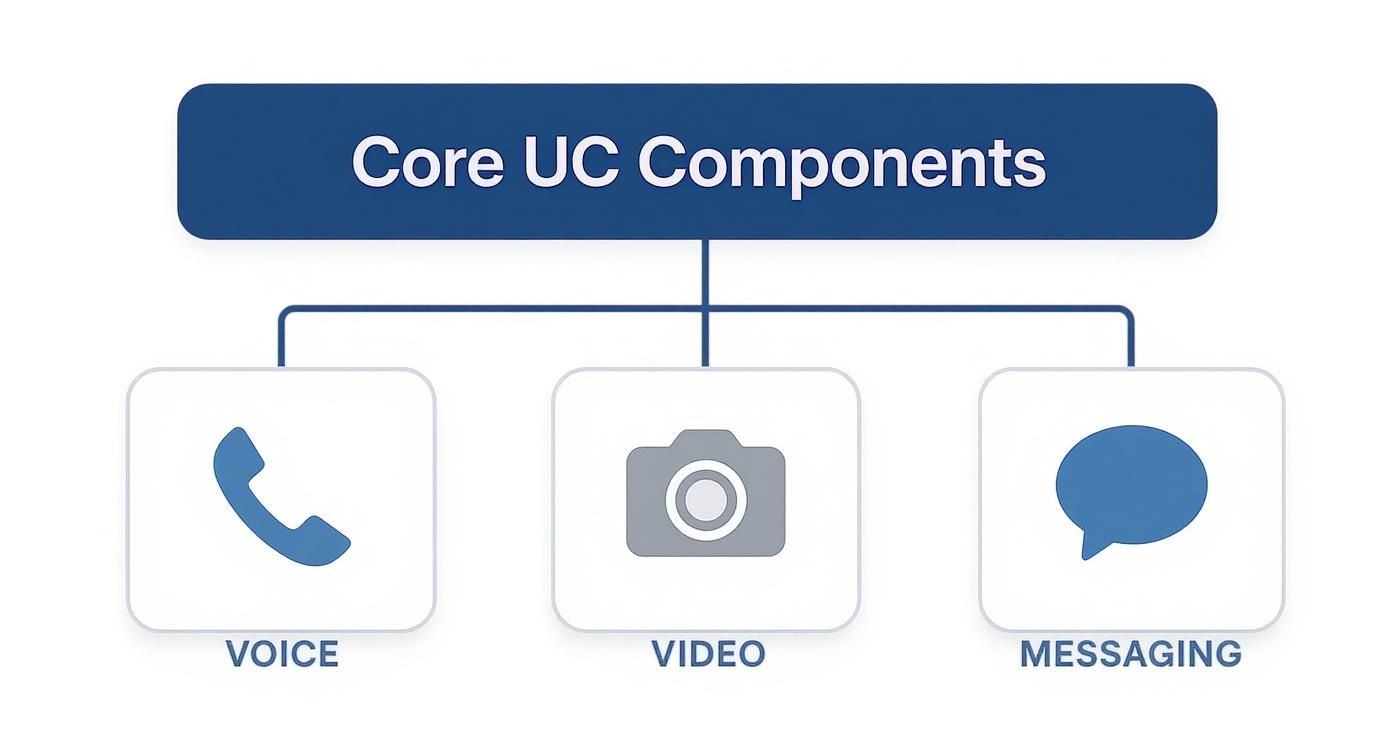
This just shows how voice, video, and messaging are the foundation of any good UC strategy, whether it lives in your server room or in the cloud.
# The Hybrid Model: The Best of Both Worlds
What if you want the airtight security of an on-prem system but the flexibility of the cloud? That's where the hybrid model comes in. It lets you keep critical pieces, like your voice infrastructure, on-site while using cloud apps for things like video calls and team chat.
A hybrid approach is perfect for businesses in transition. It allows you to leverage your existing hardware investments while gradually adopting modern, cloud-based tools at your own pace.
For instance, a company could stick with its trusty old PBX phone system for rock-solid reliability but use a cloud collaboration tool to support its growing remote team. This approach offers a practical path to modernization without forcing a complete, disruptive overhaul. It's that sweet spot between control and flexibility that makes it a popular choice for many established businesses.
# Comparing UC Deployment Models: On-Premises vs Cloud vs Hybrid
To make the choice clearer, here’s a side-by-side look at how the three models stack up across the most important factors for any business.
| Characteristic | On-Premises | Cloud (UCaaS) | Hybrid |
|---|---|---|---|
| Initial Cost | High (CapEx) | Low (OpEx) | Moderate |
| Control | Full control over hardware & data | Limited to provider's platform | High for on-prem components |
| Maintenance | In-house IT team required | Handled by the provider | Shared responsibility |
| Scalability | Complex and costly to scale | Easy to scale up or down | Moderate flexibility |
| Security | Managed entirely by you | Managed by provider (shared model) | You control on-prem security |
| Best For | Regulated industries, large enterprises with IT staff | SMBs, remote teams, rapid growth | Businesses with existing investments, gradual cloud migration |
Ultimately, this table highlights the trade-offs. If your top priority is granular control and you have the resources, on-premises is a strong contender. If you value speed, flexibility, and predictable costs, UCaaS is likely your best bet. And if you're somewhere in between, the hybrid model offers a balanced, practical path forward.
# The Tangible Benefits of a UC Strategy

It’s one thing to understand the pieces of unified communications, but it’s another to see what a solid UC strategy actually does for a business. Let’s move past the theory. A well-played UC rollout delivers real, measurable returns that touch everything from the bottom line to team morale. This isn't just another piece of software; it's a fundamental upgrade to how your company gets work done.
These benefits aren't just fuzzy concepts. They show up as hard numbers in productivity reports, noticeable cost reductions, and a much less frustrating day-to-day for your entire team—especially in a hybrid world.
# Boosting Productivity and Slashing Inefficiency
One of the first things you'll notice with UC is how much time it gives back. Bad communication is a quiet but expensive problem, potentially costing companies thousands of dollars per employee every year in lost focus and wasted effort. UC tackles this problem head-on by smoothing out all the little daily frustrations that pile up.
No more flipping between five different apps, digging through email chains for that one file, or playing phone tag to find a colleague. Everything is in one spot. This creates a seamless flow that helps your team make decisions faster, solve problems on the spot, and spend more of their day on work that actually matters.
Here’s what that looks like in the real world:
- Faster Issue Resolution: A support agent sees a tech expert is "available" on presence, pulls them into a live chat, and solves the customer's problem on the first try. Done.
- Reduced Context Switching: A project manager starts a chat in a team channel, escalates it to a quick video call to get a final decision, and posts the outcome right back in the channel—all without leaving the app.
- Quicker Approvals: A manager gets a request, reviews the attached file, and types "approved" in a single chat thread. A process that used to take hours now takes minutes.
# Driving Down Operational Costs
Beyond getting more done, a unified communications platform can deliver some serious, direct cost savings. When you bundle multiple services into a single subscription, you’ll often see a big drop in what you’re paying for software and telecom every month.
But the savings go deeper than just software licenses. A cloud-based UC system (UCaaS) means you can ditch expensive on-premise hardware like old PBX systems, along with all the maintenance contracts and IT headaches that come with them.
The financial case for UC is pretty straightforward. You spend less on separate phone systems, video conferencing tools, and business travel, all while making the business run more efficiently—which is what drives revenue in the first place.
And let’s not forget travel. By making remote collaboration feel genuinely productive, UC slashes the need for flights and hotels. Teams can hold face-to-face meetings, run training sessions, and give client presentations from anywhere, cutting huge chunks out of the travel budget.
# Enhancing the Employee and Customer Experience
In today's world, the experience you provide your employees and customers can make or break your business. A good UC strategy is a massive lever for improving both, simply by making communication easier and more effective. This is core to what unified communications is all about.
For employees, particularly those working remotely, UC builds a more connected and supportive culture. It knocks down that feeling of being isolated by making it effortless to reach out to colleagues, jump into a project, and feel like part of the team. That accessibility cuts down on frustration and leads to better job satisfaction and retention.
That improved internal flow almost always translates to a better customer experience. When your teams can talk to each other seamlessly, they can serve customers faster and more effectively. Think about a retail associate on the shop floor using their phone to video call the warehouse and confirm stock for a customer right in front of them.
That’s the kind of real-time interaction that closes sales and builds loyalty. Whether it’s a doctor conducting a secure telehealth visit or a financial advisor screen-sharing a complex report with a client, UC turns every conversation into a chance to deliver top-notch service.
# Connecting UC with Your Everyday Business Tools
A unified communications platform is powerful on its own, but its real value shows up when it’s connected to the other software your team lives in every day. A standalone UC system is like a skilled specialist; an integrated one is more like the central nervous system for your entire workflow.
Think about it this way: what is unified communications if not a tool to remove friction? When your UC platform talks to your other essential tools, it kills the need to constantly copy-paste info, switch between windows, and manually update records. That’s when it goes from being a simple communication tool to a real productivity engine.
# Unlocking Workflow Automation with Software Integrations
The real magic happens when your UC system shares data with tools like your Customer Relationship Management (CRM) or project management software. This creates a smooth flow of information that saves a ton of time and stops crucial details from getting lost in the shuffle.
For instance, plugging your UC platform into Salesforce can automatically log every client call, attach recordings to their contact record, and even pop their entire history on your screen the second they call. In fact, a 73% majority of CRM users say that integrating their system with other business tools is the key to their success.
Here are a few ways that plays out in the real world:
- CRM Integration (e.g., Salesforce, HubSpot): A sales rep makes a call through the UC system, and it's automatically logged in the customer's CRM profile. No more manual data entry, just a perfect record of every client touchpoint.
- Project Management Integration (e.g., Asana, Jira): A conversation in a team chat about a bug can be turned into a new Jira ticket with a single click. All the relevant details from the chat are carried over, saving time and keeping things accurate.
- Calendar Integration (e.g., Google Calendar, Outlook): Your presence status updates automatically based on your calendar. If you're in a meeting, your UC status flips to "Busy," and calls get routed straight to voicemail.
These integrations are about way more than just convenience. They build a smarter workflow where the system does the administrative heavy lifting, freeing up your team to focus on what matters: selling, creating, and solving problems.
# Optimizing the Experience with Smart Hardware
While software is the heart of any UC strategy, the right hardware can make the whole experience dramatically better. Physical devices give you tactile, one-touch control over your digital tools, making you faster and more professional during calls and meetings.
One of the most popular gadgets for this is the Elgato Stream Deck. It was originally built for content creators, but it’s quickly become an essential tool for business pros who spend their days jumping between meetings.
This little device lets you assign complex actions to physical buttons, taking all the guesswork out of controlling your meetings.
# A Practical Tip: Putting It All Together
The real power move is combining smart hardware with specialized software that bridges the gap between your physical desk and your UC apps. A perfect example is pairing a Stream Deck with a utility like MuteDeck.
This combo solves a universal headache for anyone juggling multiple meeting platforms like Zoom, Teams, and Google Meet. Instead of hunting for the mute button in a different spot in each app, you program a single physical button on your Stream Deck to control your microphone across all of them. You can learn more about a specific Microsoft Teams setup (opens new window) in our guide.
This setup gives you:
- Universal Mute Control: One button to mute/unmute your mic, no matter what meeting app you're on.
- Instant Camera Toggle: Turn your camera on or off with a single press, avoiding any awkward moments.
- One-Touch Actions: Start or stop screen sharing, record a meeting, or even leave a call without ever touching your mouse.
This smart blend of hardware and software integration is the final piece of the unified communications puzzle. It extends the principle of seamless control from your screen to your physical desktop, making every interaction smoother and your UC investment that much smarter.
# Rolling Out Your Unified Communications Strategy
Making the switch to a new communication system can feel like a massive project, but a solid, step-by-step plan changes everything. A great rollout isn’t just about flicking a switch on new software; it's about helping your team get comfortable with a totally new way of working. The real win is moving from just having the tools to truly using them to be more effective.
This all starts way before you even look at a single vendor. It kicks off with a simple question: what do your teams actually need to do their jobs well? Once you know that, you can build a plan that avoids chaos and gets people genuinely on board.
# Start with a Real-World Needs Assessment
Before you get wowed by platform demos, take a hard look at your own people and processes. Your first job is to map out how everyone communicates right now. How does sales talk to marketing? How does support talk to customers? Find the biggest bottlenecks. Are your sales reps burning time manually logging calls? Is the remote creative team struggling to pass files back and forth?
Practical Tip: Create a simple spreadsheet with three columns: "Task" (e.g., Get approval on a design), "Current Process" (e.g., Email PDF, wait for reply), and "Pain Point" (e.g., Takes hours, attachments get lost). This gives you a concrete list of problems to solve.
Talk to your employees. Send out a survey. Find out what drives them crazy every day. This isn't just venting; it's collecting the data that will define what you’re looking for. A crystal-clear picture of your problems makes picking the right solution a whole lot easier.
# Plan a Phased Rollout to Keep Things Sane
Flipping the switch for everyone at once—the "big bang" approach—is a recipe for disaster. A much smarter (and safer) way to do it is with a phased rollout. Kick things off with a small pilot group, like a tech-savvy department or a team that’s going to see the biggest immediate benefits.
This strategy pays off in a few ways:
- Get Early Feedback: Your pilot group is your canary in the coal mine. They’ll help you spot and squash technical bugs before they can impact the entire company.
- Build Some Buzz: When the pilot team starts sharing success stories, it creates genuine excitement and gets other employees curious about the change.
- Nail Your Training: You can adjust your training guides and sessions based on the actual questions and struggles of your first users.
A killer move here is to pick 'UC Champions' from different teams. These are the folks who are genuinely excited about the new tech. Give them some extra training and let them become the go-to person for their colleagues. They'll build momentum from the inside out.
# Get Past the Roadblocks and Get People Onboard
Even the best plan will hit a few bumps. The most common one? People just don’t like change. They’re used to their old, clunky tools, even if they complain about them. To get past this, you have to constantly communicate the "what's in it for me" for every single role.
Practical Tip: During training, use role-specific scenarios. For the sales team, show them exactly how to use click-to-dial from the CRM. For project managers, demonstrate creating a task from a chat message. This makes the benefits tangible and immediate.
Offer hands-on training that’s tailored to what different teams actually do. Don’t just show them features; show them exactly how this new unified communications platform solves their specific headaches. When your team sees for themselves that the new system makes their jobs easier, adoption will happen on its own, and you'll actually see a return on your investment.
# Your Top Unified Communications Questions, Answered
Alright, let's clear up some of the common questions that pop up when people start digging into unified communications. This should help connect the dots and make the whole concept click.
# Is UC the Same as UCaaS?
Not quite, but they're two sides of the same coin. It’s a classic “what vs. how” situation.
Unified Communications (UC) is the big idea—the strategy of bringing all your communication tools like voice, video, and chat into one seamless system. It's the goal.
UCaaS (Unified Communications as a Service) is how you get there. It’s a delivery model where a provider hosts that whole system for you in the cloud. You pay a subscription, and they handle all the backend stuff. It’s the most popular way to achieve a UC strategy without buying a server room.
# How Does UC Help Customer Service?
It gives your support team superpowers, plain and simple. Imagine an agent is on a call with a customer who has a tricky technical question. Instead of putting them on hold, the agent can glance at their UC app, see that a senior engineer is available (thanks to presence status), and pull them into the call with a single click.
That’s the magic. Problems get solved on the first try. Customers aren't told, "I'll have someone call you back." This ability to tap into the right expertise instantly is a massive win for customer satisfaction and slashes resolution times.
# What's the Biggest Challenge When Adopting UC?
It’s almost never the technology. The tech is solid. The real hurdle is getting people to change their habits. We get comfortable with the tools we know, even when they’re clunky and inefficient. Asking a team to ditch their old ways for a new, unified workflow can be met with some serious resistance.
The secret to getting it right is focusing on your people. You need a rock-solid training plan that doesn't just show them what the new tool does, but why it makes their specific daily tasks less frustrating. When leadership is visibly on board and champions the switch, adoption goes from a painful chore to a welcome upgrade.
# Can Small Businesses Really Benefit from Unified Communications?
Absolutely. In fact, you could argue they benefit the most, especially with UCaaS. The cloud model completely changed the game.
Before, getting enterprise-grade communication tools meant a huge upfront investment in hardware—something most small businesses couldn’t justify. Now, a subscription gives them the exact same powerful features as a Fortune 500 company. This lets a small team project a highly professional image, support remote work effortlessly, and compete on a much bigger stage. It’s a total game-changer.
Ready to eliminate the friction of juggling multiple meeting apps? MuteDeck gives you one-touch, universal hardware control over your mic, camera, and more across Zoom, Teams, and Google Meet. Stop fumbling for buttons and start running meetings like a pro by visiting https://mutedeck.com (opens new window).