# MuteDeck 4.0: Light Theme, Meeting Stats, and a Future-Proof Teams Integration
We're excited to announce MuteDeck 4.0 - our biggest update yet. This release brings features you've been asking for, quality-of-life improvements, and behind-the-scenes changes that ensure MuteDeck keeps working reliably for years to come.
# Light Theme
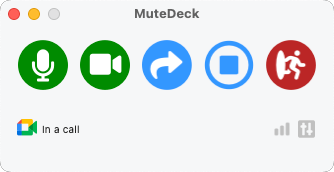
One of our most requested features is finally here. MuteDeck now offers a beautiful light theme alongside the classic dark mode. Head to Settings to switch themes, or let it follow your system preference. Whether you're working in a bright office or prefer a lighter interface, MuteDeck now adapts to your style.
# Meeting Time Stats
Ever wondered how much of your week is spent in meetings? Now you can find out. MuteDeck 4.0 introduces meeting time tracking that shows you exactly where your time goes.
Click the new chart icon next to Settings to see your meeting statistics broken down by:
- Daily, weekly, and monthly views
- Time spent per application (Zoom, Teams, Meet, and more)
- Hourly distribution patterns
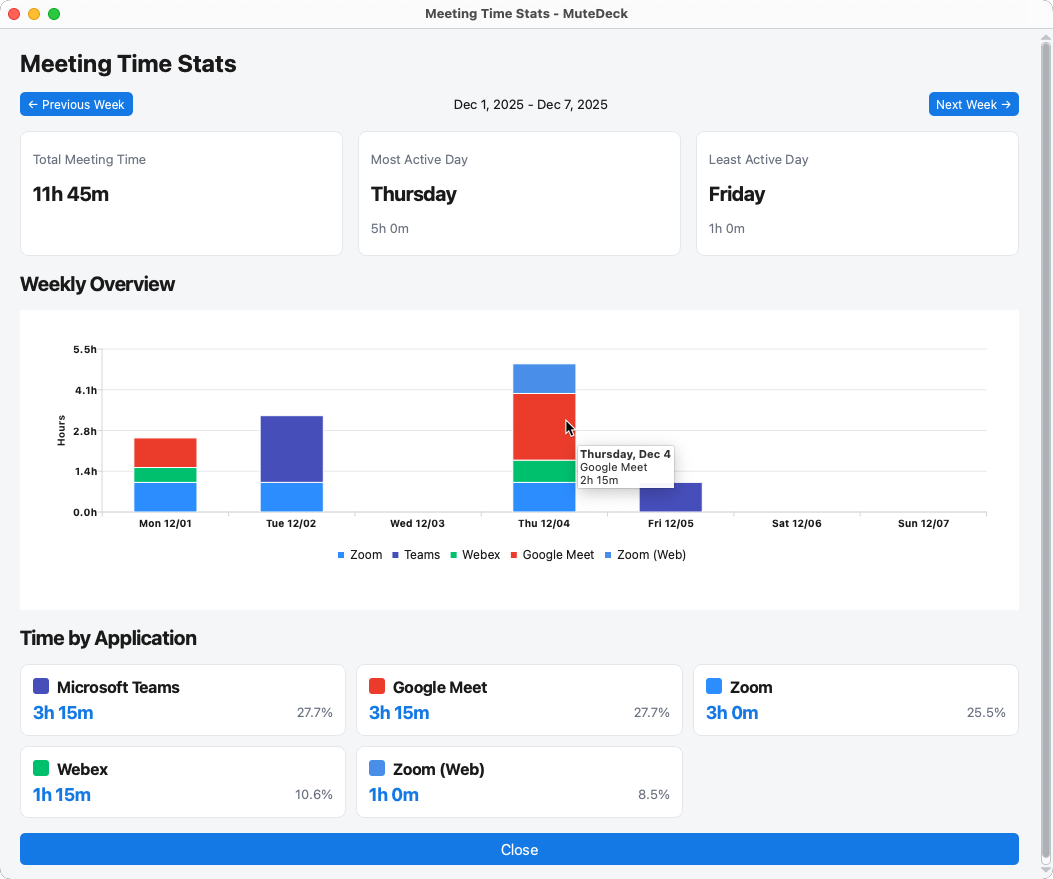
This feature is completely opt-in and privacy-focused - MuteDeck only tracks duration and which app you're using, never meeting content or participants. This data is only stored locally on your device, and you can turn it off anytime in Settings.
# Future-Proof Microsoft Teams Integration
Here's something important: Microsoft has signaled they may deprecate the third-party API that many meeting control tools rely on. When that happens, those tools will stop working with Teams.
MuteDeck 4.0 introduces a hybrid approach. We still use Microsoft's official API when available, but we've built intelligent fallback controls that work through the Teams interface directly. This means:
- Full functionality today with the official API
- Automatic fallback when the API becomes unavailable
- Continued mute, video, and meeting controls regardless of Microsoft's API decisions
While other tools may face an uncertain future, MuteDeck users can rest easy knowing their workflow won't be interrupted.
# Other Actions - Simplified and Ready to Go
We've renamed "Custom Actions" to "Other Actions" to better describe what they are: additional meeting controls beyond the basics. But that's not all - they now come pre-configured.
New installations include popular shortcuts for:
- Reactions (thumbs up, clapping, heart, laugh)
- Raise/lower hand
- Toggle chat and participants panels
- Background blur
- Live captions
- And more...
These defaults are configured per-app with the correct keyboard shortcuts already set. Of course, you can still customize everything or add your own actions.
# A Note for macOS Users
This update includes changes to how MuteDeck is signed on macOS. After updating, you'll need to re-authorize MuteDeck in your accessibility settings:
- Open System Settings > Privacy & Security > Accessibility
- Find and remove MuteDeck from the list
- Relaunch MuteDeck
- Grant the permissions when prompted
This is a one-time step that ensures MuteDeck can continue controlling your meeting apps.
# Get MuteDeck 4.0
The update is available now. If you have automatic updates enabled, you'll be prompted to install it shortly. Otherwise, download the latest version from https://mutedeck.com/downloads (opens new window).
Thank you for being part of the MuteDeck community. Your feedback shapes every release, and we're grateful for your continued support.
Happy (quieter) meetings!
Martijn MuteDeck