
# A Practical Webinar Software Comparison for Professionals
The “best” webinar software is the one that helps you hit your goal. A platform like Zoom (opens new window), built for huge company-wide communication, is a different beast than Demio (opens new window), which is engineered to drive marketing conversions.
Your choice boils down to a single question: do you need a corporate workhorse or a lean marketing machine?
# First, Figure Out Your Core Webinar Goal
Before comparing feature lists, know what job you're hiring the software to do. A platform’s purpose—whether for massive broadcasts or small sales demos—shapes its entire user experience.
Get this wrong, and you'll fight a tool that was never built for you.
The webinar software market is expected to jump from $8.799 billion in 2024 to $32.72 billion by 2035. More businesses are relying on them for marketing and internal operations. You can see the numbers in this market research report (opens new window).
# The Two Main Philosophies
Most webinar tools fall into one of two camps.
- Communication Hubs (The Workhorses): Think Zoom (opens new window) and Microsoft Teams (opens new window). These platforms began as internal meeting tools, so their strengths are reliability, scaling to massive audiences, and plugging into corporate IT systems. They are suited for company-wide town halls, large-scale training sessions, and formal presentations where control and stability are the priority.
- Marketing Engines (The Converters): Tools like Demio (opens new window) and Livestorm (opens new window) were built for marketers and salespeople. Their focus is on the attendee’s journey. This means customizable registration pages, automated email sequences, in-webinar calls-to-action (CTAs), and CRM integrations. Their job is to turn viewers into leads and customers.
This webinar software comparison for smart marketers (opens new window) offers more detail on this distinction.
# Platform Architecture at a Glance
This table shows the fundamental differences. Knowing where a tool fits clarifies its purpose.
| Philosophy | Primary Goal | Key Strengths | Best For | Example Platforms |
|---|---|---|---|---|
| Communication Hub | Information Dissemination | Reliability, Security, Scalability | Corporate Training, All-Hands | Zoom, Microsoft Teams |
| Marketing Engine | Lead Generation & Sales | Automation, Engagement Tools, Analytics | Product Demos, Sales Pitches | Demio, Livestorm |
Choosing the right tool means matching its architecture to your business goals. A sales team using an enterprise communication hub will struggle with lead tracking. A corporate trainer using a marketing platform might find the security features lacking.
We’ve also put together a guide on different video conferencing solutions (opens new window).
# Comparing the Core Four Webinar Platforms
Let's look at how Zoom (opens new window), Microsoft Teams (opens new window), Livestorm (opens new window), and Demio (opens new window) actually stack up. A head-to-head comparison shows each tool is built for a different job. The right choice depends on what you need to do before, during, and after your event.
The webinar software market is growing. It's projected to swell from $8.8 billion in 2024 to $32.7 billion by 2035.
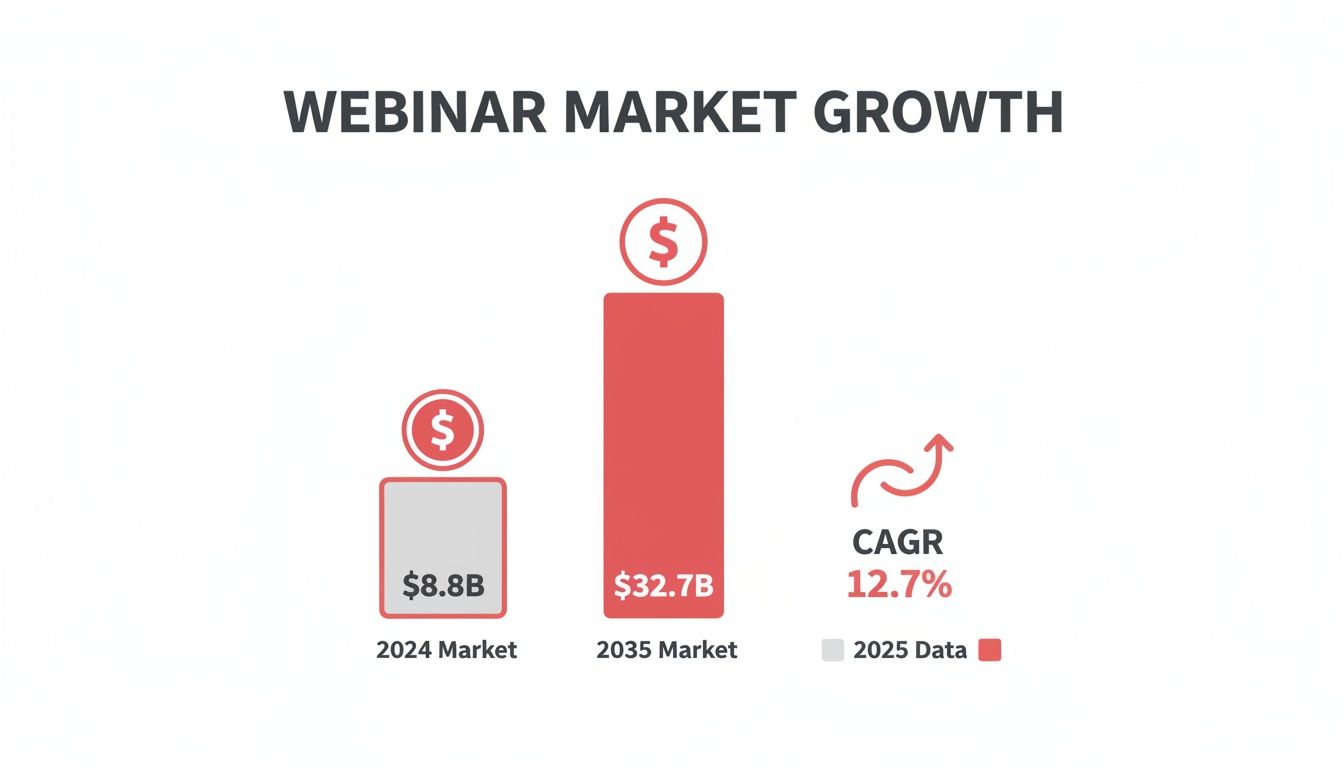
That growth—a compound annual rate of nearly 13%—shows that webinars are a permanent fixture. Picking the right platform matters.
# Webinar Software Feature Comparison
This table breaks down the key differences between the platforms. Use it as a cheat sheet for choosing the right tool for the job.
| Feature Category | Zoom | Microsoft Teams | Livestorm | Demio |
|---|---|---|---|---|
| Primary Use Case | Large-scale broadcasts, corporate meetings, training | Internal collaboration, enterprise-level meetings | Marketing webinars, product demos, lead generation | Marketing & sales webinars, automated events |
| Engagement Tools | Breakout Rooms, polls, Q&A | Polls, Q&A, Whiteboard, Forms integration | In-browser CTAs, polls, Q&A, chat | "Featured Actions," polls, handouts, Q&A |
| Automation Focus | Basic reminders & follow-ups (often needs Zapier) | Deep integration with Power Automate for custom workflows | Built-in email sequences, easy setup | Automated & on-demand events, evergreen webinars |
| Best for... | Hands-on workshops, massive all-hands meetings | Companies heavily invested in the Microsoft 365 ecosystem | Marketers needing an all-in-one engagement tool | Sales teams wanting a frictionless, conversion-focused platform |
| Unique Strength | Unmatched stability and scalability for large audiences | Seamless integration with Outlook, SharePoint, and OneDrive | Excellent balance of marketing tools and ease of use | Sleek, browser-based experience with powerful marketing automation |
The best platform fits your workflow, not the one with the longest feature list.
# Attendee Engagement
How you interact with your audience is everything.
Zoom is known for its Breakout Rooms. For a workshop or training session that needs small group work, this feature is excellent. It's the closest you can get to splitting a physical room into collaborative pods.
Livestorm is built for marketers. Its native Q&A, polling, and call-to-action buttons guide your audience toward a specific goal. You can launch a poll to gauge feature interest and immediately pop up a "Request a Demo" CTA. It’s built for conversion.
Microsoft Teams keeps engagement within its ecosystem. It has polls and Q&A, but its power comes from using tools like Microsoft Forms for surveys or Whiteboard for brainstorming. It’s less about CTAs and more about structured collaboration for internal teams.
Demio focuses on a smooth, browser-based experience with timed engagement. "Featured Actions" let you display offers, links, or handouts at the exact moment you mention them. This keeps the audience focused and reduces the friction of opening new tabs.
# Automation and Analytics
The work isn't over when the live event ends.
Demio is an automation machine. You can set up automated, on-demand webinars that run on a schedule, capturing leads around the clock without a live host. Its analytics focus on what marketers want: attendance rates and CTA clicks.
Microsoft Teams handles automation through Power Automate, allowing for complex, custom workflows. An IT team could build a flow to automatically register new hires for onboarding webinars and drop follow-up materials into their OneDrive.
Livestorm offers easy-to-use email automation for reminders and follow-ups. Its analytics dashboard gives you clear data on where attendees came from and how engaged they were.
Zoom’s native automation is more basic, covering event reminders and simple post-event surveys. Its attendance reports are solid, but you’ll likely need to connect it to a CRM via a tool like Zapier for deeper lead-tracking.
# Reliability and Scalability
A platform that crashes mid-event is a nightmare.
For any high-stakes webinar, reliability is everything. A platform that stutters with 500 attendees is a liability, no matter how cool its features are. Always do a dry run with a larger internal group before any major external event.
Zoom is the heavyweight here. Its infrastructure handles thousands of attendees without issue. It's the go-to for massive corporate all-hands meetings where failure isn't an option.
Microsoft Teams runs on Microsoft's Azure infrastructure, giving it solid reliability for enterprise events. It’s designed for organizations using the Microsoft ecosystem.
Livestorm and Demio are browser-based, which is convenient for attendees but can introduce variables like browser type and internet speed. They're stable for events up to a few hundred people but aren't the first pick for a 5,000-person virtual conference.
# Integrations
Your webinar tool needs to work with the other software you use.
Microsoft Teams is the obvious choice for any company running on Microsoft 365. The native connections to Outlook, SharePoint, and Dynamics 365 are seamless.
Demio and Livestorm are built for the marketing and sales stack. They offer deep, native integrations with CRMs like HubSpot and Salesforce, plus email tools like Mailchimp. This lets you pass lead data back and forth without hassle.
Zoom has a huge marketplace of integrations, but for many marketing and sales tools, it relies on connectors like Zapier. It’s powerful, but can add complexity compared to the native integrations of its rivals.
You might also check out a broader list of the best virtual event platforms (opens new window), as many offer powerful webinar features.
# Pricing Models
Look past the monthly fee to understand the true cost.
Zoom and Microsoft Teams are often priced as part of a larger enterprise license. The cost of Teams is usually bundled into a Microsoft 365 subscription. Zoom’s webinar features are an add-on to its meeting plans, with costs scaling based on attendee count.
Demio and Livestorm use a subscription model based on attendee numbers. Their pricing reflects their role as lead-generation tools. Watch the attendee limits on their lower-tier plans; going over can mean a big price jump. They often bundle features like landing pages and email automation into the base price.
# Matching Software to Your Specific Job
The best webinar platform isn’t the one with the most features. It’s the one that disappears into your workflow.
Your role dictates your needs. A corporate trainer has different priorities than a salesperson trying to close a deal.
# For the Sales Professional Delivering Weekly Product Demos
You live by the demo. Your goal is to take a prospect from curious to convinced in 30 minutes. You need a frictionless experience for attendees and conversion-focused tools for yourself.
Top Recommendation: Demio (opens new window)
Demio was built for this. It’s browser-based, which means no downloads for your prospects.
Demio's engagement toolkit is designed to lead to a sale. You can pre-load "Featured Actions," which are clickable calls-to-action that you deploy at the right moment. For example, when you mention a limited-time offer, a button to "Claim Your Discount" can pop up on screen. This is more effective than dropping a link in the chat.
A practical setup for a sales demo in Demio:
- Customize the Room: Add your company logo and brand colors.
- Upload Handouts: Prepare your one-pager or case study to share with a click.
- Create a Poll: Start with a poll like, "What's your biggest challenge with [problem]?"
- Set Up Featured Actions: Prepare your main CTA ("Book a Strategy Call") and a secondary one ("Download the Pricing Guide").
This setup turns a passive presentation into an interactive sales conversation.
# For the Corporate Trainer Running Compliance Sessions
Your audience is internal, and attendance is often mandatory. Your priorities are security, reliability, and integration with existing company systems. You need to track who attended and for how long.
Top Recommendation: Microsoft Teams (opens new window)
For an organization in the Microsoft 365 ecosystem, Teams is the default choice. You can schedule the webinar from Outlook, store the recording in SharePoint, and use Microsoft Forms for post-training quizzes. Everything stays within a secure, managed environment.
The power of Teams for training is the workflow. A manager can track an employee's registration, attendance, and quiz completion all within the system they use for daily work.
Imagine a required annual security training. In Teams, you can set up a webinar that automatically logs attendance. The recording is saved to a SharePoint folder with permissions locked to the relevant department. This creates an auditable trail for compliance.
# For the Marketer Hosting a Large Lead Generation Event
You're playing a numbers game. You need to attract a large audience, capture high-quality leads, and deliver a smooth broadcast. Scalability and a professional look are your top concerns.
Top Recommendation: Zoom (opens new window)
When you need to broadcast to hundreds or thousands of people without worrying about the stream crashing, Zoom (opens new window) is the industry standard. Its infrastructure is stable.
Zoom's registration and reporting features give marketers the data they need. You can create custom registration pages to capture lead info (like company size or job title) and integrate directly with CRMs like HubSpot (opens new window) or Salesforce (opens new window) to send that data into your marketing funnel.
A smart workflow for a marketing webinar in Zoom:
- Registration: Customize the sign-up form to qualify your leads. Ask one or two key questions beyond name and email.
- During the Event: Use the dedicated Q&A feature to manage questions separately from the general chat. Have a moderator filter questions for the presenter.
- Post-Event: Pull the attendee report. Cross-reference it with the Q&A report to identify prospects who asked buying-intent questions and get them to your sales team.
While other platforms might offer a slicker marketing experience, Zoom's raw power and scalability make it a safe bet for large-scale lead generation.
# Your Secret Weapon: A Universal Presenter's Toolkit
Your webinar software is only half the equation. A smooth presentation depends on how you handle the live session—especially when juggling slides, a Q&A panel, and speaking notes.
The mute button in Zoom (opens new window) is in a different spot than in Microsoft Teams (opens new window). That small difference creates stress when you’re live, hunting for the right button and breaking your flow. A universal presenter's toolkit can fix this.
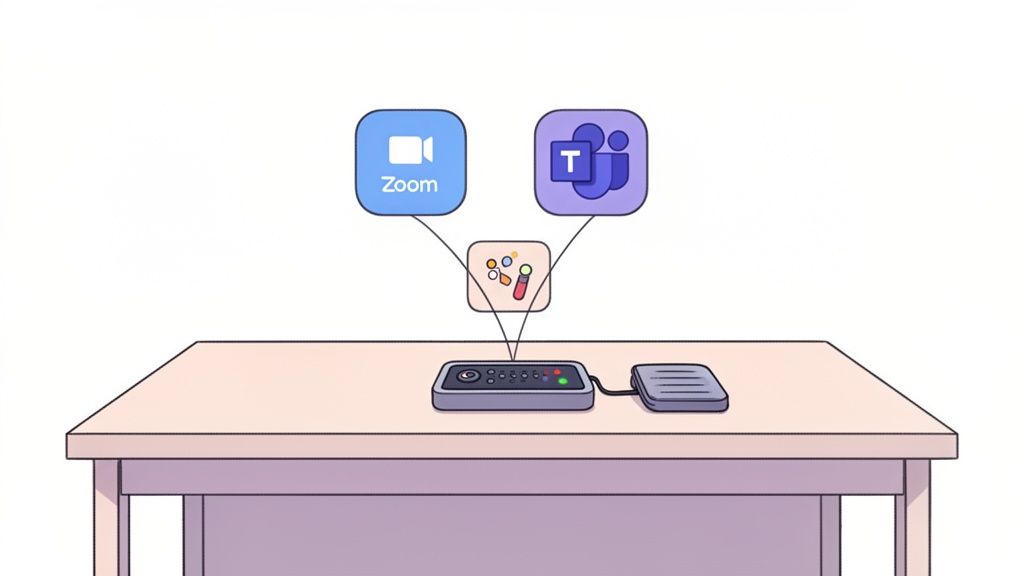
A dedicated tool like MuteDeck sits between you and your software, giving you a consistent, physical control panel. No matter what platform you're using, the same button performs the same action. Every time.
# Build Muscle Memory, Not Mental Clutter
The biggest headache for frequent presenters is the lack of a standard interface. One day you're in Zoom, the next you're in Teams. The cognitive load of remembering different layouts kills performance.
MuteDeck solves this by mapping core functions to physical buttons on hardware you already own, like an Elgato Stream Deck or a foot pedal.
Think about this setup:
- A foot pedal to mute and unmute. Mute instantly to cough or speak to someone off-camera, without taking your hands off the keyboard. It works the same way in Livestorm, Demio, or Zoom.
- A dedicated button to toggle your camera. One press, and you’re on or off.
- A button to start and stop your screen share. Say goodbye to the awkward pause where you announce, "Okay, let me just share my screen..." while fumbling through menus.
This approach builds muscle memory, freeing you to focus on your audience and content.
# Finally End the "You're on Mute" Problem
Speaking while muted is the most common webinar mistake. It breaks a presenter's authority and disrupts the event's flow. The on-screen icon is easy to miss.
A physical toolkit gives you something better: an unmistakable status indicator.
A dedicated, glanceable light that’s green when you're live and red when you're muted is infinitely more effective than any on-screen icon. It's ambient confirmation that gives you total confidence.
With MuteDeck hooked up to a Stream Deck, the button for your microphone physically changes color. This immediate, tactile feedback is impossible to ignore.
# Trigger Any Action with a Single Tap
A presenter's toolkit can automate platform-specific actions. Most webinar tools have keyboard shortcuts for things like launching a poll or opening the Q&A panel. The problem is they’re different for every app.
MuteDeck can send custom hotkeys to whatever application is active, letting you create your own universal commands.
For example, you could program one button to:
- Launch a poll in Livestorm
- Start a presentation in Zoom
- Open the Q&A panel in Demio
You press the same physical button, and MuteDeck sends the correct shortcut to the software you’re using. This turns complex actions into a single tap. For more tips on crafting a professional event, see our guide on how to do a webinar (opens new window).
This level of workflow integration makes any software comparison more complete. The "best" platform is the one that works for you, and a universal toolkit ensures your delivery is flawless no matter which one you choose.
# What You're Really Paying For in a Webinar Platform
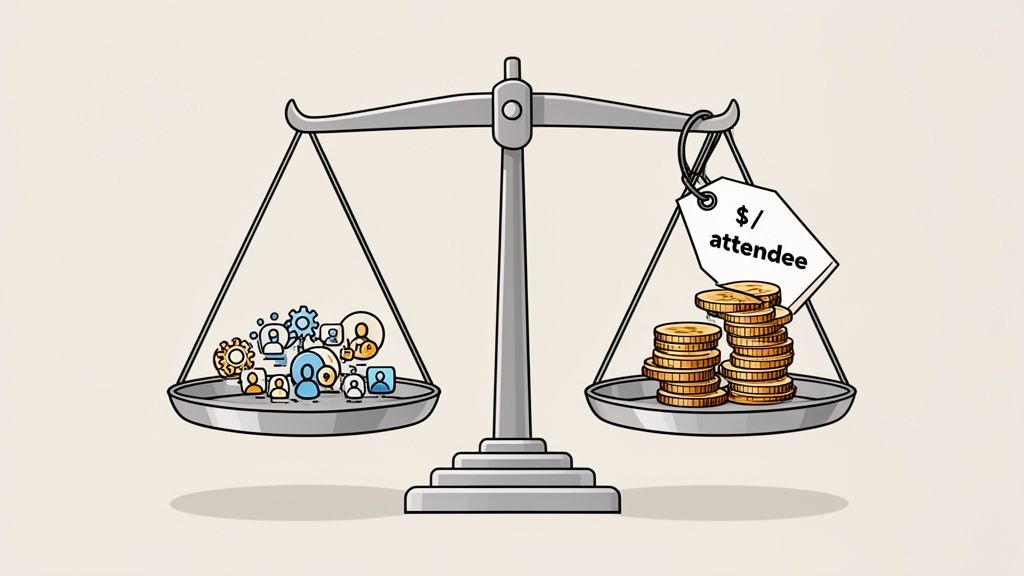
The monthly fee on a pricing page is just the start. The real cost is in the details—attendee limits, host seats, and feature add-ons that can double your bill. A platform that looks cheap at first might cost you more once you add the tools you need.
This is the total cost of ownership. It’s the subscription plus the price of any extra tools needed to fill gaps.
# Uncovering Hidden Pricing Triggers
Every platform has tripwires designed to move you into a more expensive plan.
- Attendee Caps: This is the big one. A plan might seem like a good deal for 100 attendees, but hosting an event for 101 people could force you onto a plan that costs twice as much.
- Host Licenses: Need a co-host or a moderator? Platforms like Zoom (opens new window) often charge per host, and those costs add up for collaborative teams.
- Event Duration: Some lower-priced plans cap how long your event can run. If your training session needs three hours but your plan limits you to two, you must upgrade.
- Essential Features as Add-ons: A platform might have a low base price but then charge extra for features like CRM integrations or advanced analytics. A basic plan might not let you create on-demand events. Understanding the details of recording a webinar (opens new window) can help you decide if this is a non-negotiable feature for you.
# The Value of Bundled Features vs. Paid Add-Ons
A platform with a higher monthly price might be cheaper in the long run if it includes features you’d otherwise have to buy separately.
Imagine you need detailed analytics to track lead quality.
- Platform A (Cheaper Base Plan): Costs $50/month. Its analytics are basic. To get the data you need, you subscribe to a separate analytics tool for $40/month and use a connector like Zapier (opens new window), adding another $20/month. Your total cost becomes $110/month.
- Platform B (Higher Base Plan): Costs $90/month. It seems more expensive, but its built-in analytics dashboard gives you everything you need without third-party tools.
In this scenario, the "more expensive" platform is the better deal. You save $20/month and avoid managing multiple subscriptions.
# Annual Cost Scenario Analysis
This table estimates the annual cost for a small business running four webinars per month with one host and an average of 100 attendees. I've factored in common add-ons.
| Platform | Base Plan Cost (Annual) | Required Add-ons | Estimated Total Annual Cost |
|---|---|---|---|
| Demio | ~$600 | None (Automation built-in) | ~$600 |
| Livestorm | ~$1,100 | None (Analytics included) | ~$1,100 |
| Zoom | ~$800 (Webinar Add-on) | CRM Connector (e.g., Zapier) | ~$1,040+ |
| MS Teams | ~$150 (MS 365 Business) | Marketing tools (External) | Varies Widely |
This table shows that a tool like Demio (opens new window) has a straightforward price because it’s built for marketing. Zoom, while powerful, often requires extra spending to match the automation of its rivals. And Microsoft Teams (opens new window) is only cost-effective if you don't need dedicated features for generating and tracking leads.
# A Few Common Questions We Hear
A few questions always come up. Here are some quick answers.
# Can I Just Use Google Meet for a Webinar?
You can, but it’s like using a sedan to move a house. It's not the right tool for a professional event.
Standard meeting platforms like Google Meet (opens new window) or a basic Zoom (opens new window) plan lack the features that make a webinar work: advanced registration pages, automated email reminders, a managed Q&A module, and detailed analytics. For anything tied to lead generation or structured training, dedicated webinar software gives you the control and data you need.
# What’s the Single Most Important Feature for Engagement?
There isn’t one. The best engagement feature is the one that serves your goal.
For a marketing webinar, interactive polls and in-webinar calls-to-action (CTAs) drive conversions. You could ask attendees about their biggest challenge and immediately pop up a CTA to book a demo that solves it.
For a training session, breakout rooms or a moderated Q&A panel are more valuable. They're built for active participation and learning, a different goal than making a sale.
Your choice of engagement tools should map directly to the outcome you want. Don't add a poll just for the sake of it—use it to guide your audience toward the goal.
# How Does a Tool Like MuteDeck Work With All These Different Platforms?
MuteDeck is an app that runs on your computer. It detects which meeting or webinar platform you’re using—Zoom, Teams, Demio, or something else.
It then connects your hardware, like a button on a Stream Deck or a foot pedal, to whatever app is active. This means the same physical button will always control your mute, camera, or screen share, giving you a consistent setup no matter which software you're presenting with that day.
# What Should I Expect to Pay for All This?
Prices vary. You can find solid plans for small businesses starting around $40 per month, but enterprise solutions can run several hundred.
The final cost usually depends on three things: how many hosts you need, the maximum number of attendees you expect, and any special features you require, like marketing automation or deep CRM integrations. Evaluate plans based on your actual needs so you don't pay for capacity you'll never use.
Stop fumbling for the mute button. With MuteDeck, you get universal, physical controls for every meeting platform, so you can stay focused and professional. Take control of your meetings by trying it today at https://mutedeck.com (opens new window).