# A Practical Guide to Computer Telephony Integration (CTI)
Computer Telephony Integration (CTI) is the technology that makes your phone system and your computer work together. Instead of just ringing, an incoming call can trigger a data lookup, giving your team the context they need without ever having to ask, "Can I get your account number?" It turns a simple phone call into a productive interaction.
# What Does CTI Actually Do?
Picture a customer calling your support line.
Without CTI, your agent answers, asks for an account number, and waits while the customer digs it up. It’s clunky and wastes time.
Now, imagine the same call with CTI. The phone rings, and instantly, the agent’s screen displays the caller's entire history—past orders, support tickets, and contact details. That is the core function.
CTI is the bridge connecting your phone system to software like your CRM. It eliminates repetitive, manual steps that kill a conversation's momentum.
# How It Works in Practice
CTI is software that lets your phone system and computer applications share information and commands in real time.
This enables a few key features:
- Screen Pops: When a call comes in, the caller's record from your CRM or database automatically opens on the agent's screen. No searching, just instant context. For example, a support agent sees the customer's previous three support tickets the moment they answer.
- Click-to-Dial: Staff can start calls straight from an app (like Salesforce or HubSpot) by clicking a phone number. This cuts out manual dialing and wrong numbers. A sales rep can work down a list of leads in their CRM without ever touching their phone's keypad.
- Automated Call Logging: When a call ends, CTI automatically creates a record of it—time, duration, and outcome—in the customer's profile. Your team can stop wasting time on data entry.
CTI isn’t just for large call centers. It’s for any business where people talk to customers while sitting at a computer. Sales desks, remote support teams, and small service businesses all use it.
# The Rush to Integrated Communications
This technology is becoming standard for any business that needs to be efficient. The market reflects this. The CTI software space was valued at USD 8.5 billion in 2023 and is expected to reach USD 19.4 billion by 2033.
The driver is the need to streamline conversations. Cloud-based CTI leads this trend because it is scalable and can cut infrastructure costs by up to 40%. You can look at detailed market analyses (opens new window) and projections if you're curious.
CTI is a key part of modern business communication, but it rarely works alone. To understand how it fits with other platforms and creates a seamless experience, see our guide on Unified Communications (opens new window).
# How CTI Technology Connects Your Tools
How does computer telephony integration make your phone system and computer talk to each other? CTI acts as an interpreter, sitting between your telephony network and your business software, translating signals so they can work together.
This happens through a specific set of protocols and Application Programming Interfaces (APIs). These are the technical handshakes that handle everything from dialing a number on your screen to pulling up a customer’s history the second their call comes in.
The diagram below gives a visual of how CTI acts as a central hub.
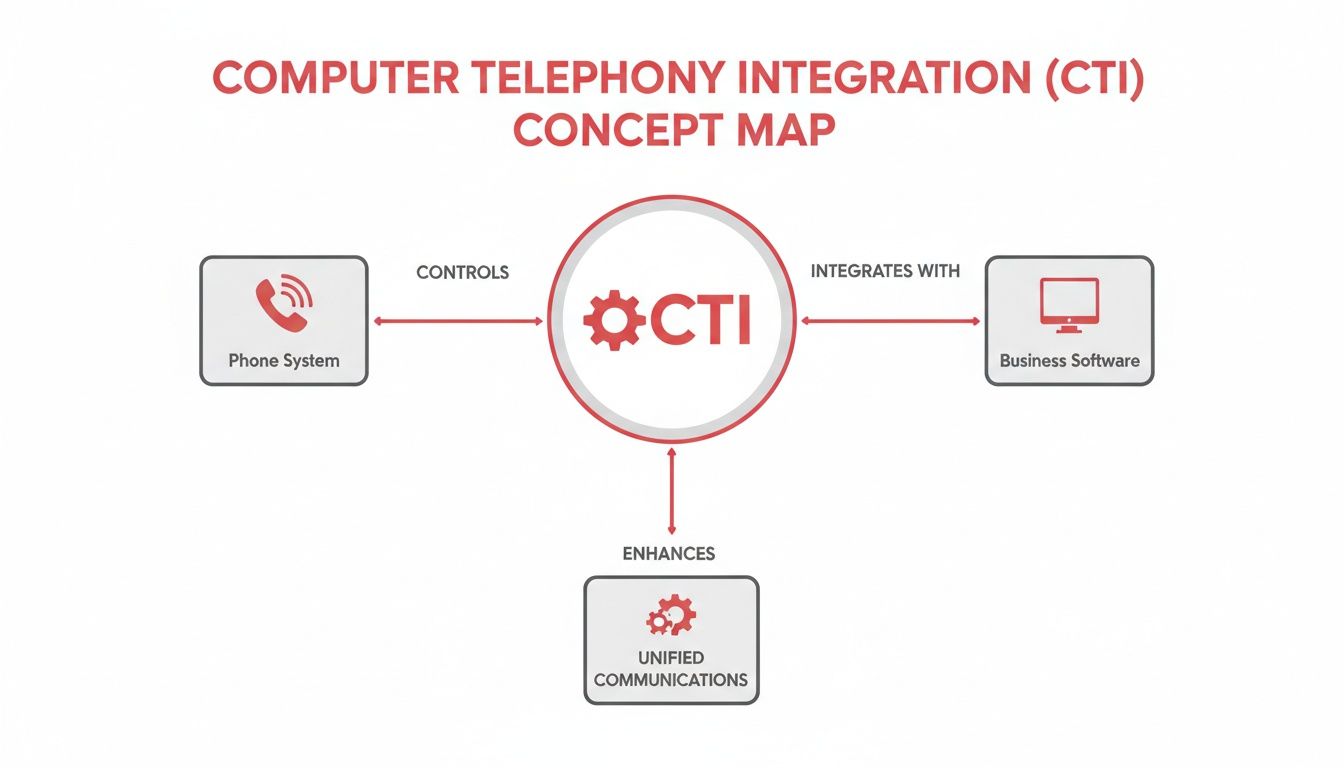
CTI is not a single product you buy off a shelf. It is the bridge technology that unlocks the potential of the tools you already have.
# The Old Guard: TAPI, JTAPI, and SIP
The foundation of modern internet-based phone calls (VoIP) is the Session Initiation Protocol (SIP). SIP manages the signaling—the addressing, setup, and teardown—needed to start, maintain, and end a call. It doesn't carry the audio itself.
Once a call is connected, other technologies give your computer control. For years, this was handled by:
- TAPI (Telephony API): This is Microsoft's standard, built for Windows. It lets a PC program perform basic phone tasks like answering, dialing, or putting a call on hold.
- JTAPI (Java Telephony API): The Java-based equivalent. It was designed to be platform-independent, making it common in large contact centers not exclusively running on Windows.
You'll still find these protocols in many on-premise setups, where software on a user's desktop creates a direct link to a local phone server or hardware.
# The New School: APIs and Webhooks
In a world of cloud software, CTI has changed. Instead of direct local connections, modern integrations use web technologies to link applications that live online. This is where REST APIs and webhooks are used.
A REST API works like a waiter. Your application sends a specific request to the phone system's server asking it to do something. For example, your CRM could make an API call to fetch a call recording's URL and attach it to a customer's record.
A webhook flips that model. It's a real-time alert. Instead of your CRM constantly asking, "Did a call just end?", the phone system proactively sends that information to your CRM the instant it happens.
When a call comes in, a webhook can instantly send the caller's phone number to your CRM. The CRM then uses that data to trigger a "screen pop," bringing up the right customer profile before your agent even says "hello."
This instant, event-driven communication makes today’s CTI feel seamless. It allows for deep integrations between otherwise disconnected systems.
# Common CTI Technologies and Their Functions
| Protocol/Technology | Primary Function | Common Use Case |
|---|---|---|
| SIP | Establishes, manages, and terminates VoIP call sessions. | The foundational protocol for nearly all modern internet phone calls. |
| TAPI | Allows Windows applications to control telephony hardware. | On-premise call centers with agents using Windows desktops. |
| JTAPI | A platform-independent API for Java-based telephony control. | Large-scale, enterprise contact centers with diverse IT environments. |
| REST API | Enables applications to request data or actions from another system. | A CRM pulling call log data from a CCaaS platform after a call ends. |
| Webhook | Pushes real-time data from one system to another based on events. | Instantly triggering a screen pop in a helpdesk when a call is answered. |
These tools are the building blocks that enable CTI to connect applications, streamline operations, and integrate with advanced support applications like SupportGPT (opens new window). They transform isolated data points into a cohesive workflow.
# Choosing Your CTI Setup: On-Premise vs. Cloud
When deploying a Computer Telephony Integration (CTI) system, you have two main paths: hosting it yourself on-premise or using a cloud-based service. The right choice depends on your company's budget, in-house tech skills, and data control needs.
Each route comes with trade-offs. One gives you total command but requires a large upfront investment, while the other offers flexibility for a predictable monthly fee.
# The On-Premise Model
An on-premise CTI setup means you own and operate everything. The servers running your telephony software and integrations are physically located in your office or a data center you control. Your IT team handles installation, maintenance, security, and upgrades.
This approach gives you authority over your infrastructure and data. For companies in finance or healthcare with strict compliance and data sovereignty rules, this is often a requirement.
But that level of control is not free.
- High Upfront Costs: You buy all the server hardware and software licenses at the start.
- Ongoing Maintenance: You need an internal IT team with the expertise to manage and troubleshoot the system.
- Scaling Can Be Difficult: Adding more agents or features often becomes a complex and expensive project.
A large bank, for example, will likely choose an on-premise solution to keep customer data inside its own network, making the high initial cost a justifiable expense.
# The Cloud Model (CCaaS)
The modern alternative is a cloud-based CTI, usually delivered as part of a Contact Center as a Service (CCaaS) platform. With this model, you pay a subscription to a vendor who manages the servers, software, and security. Your team logs in through a web browser or a desktop app.
For most businesses, this is the default choice. The initial investment is small because there's no expensive hardware to purchase. Scaling up or down is as easy as adjusting your subscription, which is useful for a growing startup or a business with seasonal peaks. The provider also handles all updates and security patches.
The market trends confirm this. The CCaaS CTI space alone generated USD 528.2 million in 2024 and is expected to grow to USD 1,377.5 million by 2030. A major driver is cost savings; cloud setups can cut initial expenses by 50% compared to on-premise systems. Since the pandemic normalized remote work, 60% of businesses report moving their CTI to the cloud.
Key Takeaway: The cloud model offloads the technical management. You don't need a team of telephony experts on payroll, which frees up your IT staff to work on other projects.
# Making the Right Call
Choosing between on-premise and cloud is about matching the technology to your business. An on-premise system might be right for a large enterprise with a deep IT bench and rigid security protocols.
A cloud CTI is almost always better for a company that needs to adapt quickly without a huge capital investment. To learn more about how this works, check out our guide on VoIP in the cloud (opens new window).
# Connecting CTI With Your CRM And Business Software
When you connect CTI to the software your teams use every day, like a CRM, it changes how they work. This is where abstract protocols and APIs become real features that save time.
The most common connection is between CTI and a Customer Relationship Management (CRM) platform like Salesforce, HubSpot, or Zoho. This bridges the gap between your phone system and your customer database, creating a unified workspace.
A proper VoIP CRM integration (opens new window) automates tasks so your team can focus on the person on the other end of the line.
# Core CTI Features In Action
Once your CTI and CRM are linked, a few features become part of your team's workflow. These improve how your team handles every conversation.
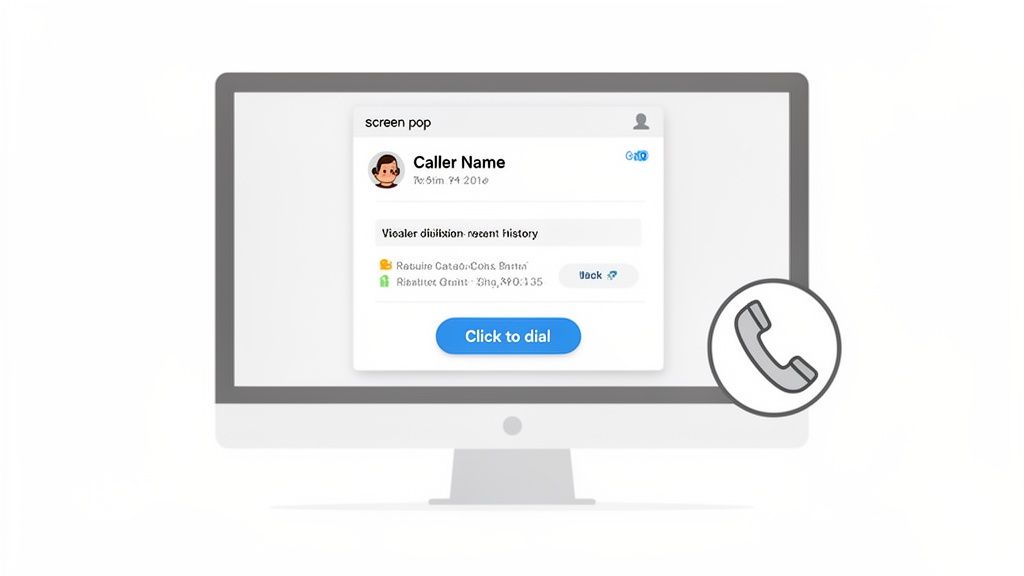
- Screen Pop: A call comes in, and the caller's history appears on the agent's screen before they answer. They can see who's calling, what they've bought, and any open support tickets. No more asking for account numbers.
- Click-to-Dial: Sales reps can click a phone number in the CRM to make a call. This prevents dialing errors and shaves seconds off every call, which adds up to hours of saved time for a team.
- Automatic Call Logging: The call ends, and the CTI system automatically logs the time, date, duration, and often a link to the call recording in the CRM. This frees your team from manual data entry and keeps customer records up-to-date.
# Beyond Calls: The Unified Control Principle
The idea of integrating communications applies to video meetings as well.
Modern CTI can share your presence status across different apps. If you're on a VoIP call, your status in Slack or Microsoft Teams can automatically switch to "In a Call," telling colleagues not to interrupt.
This is the same philosophy that powers tools like MuteDeck. MuteDeck syncs your meeting status—whether you're muted or your camera is on—across platforms like Zoom, Teams, and Google Meet.
This means you can use a single physical button on a device like an Elgato Stream Deck to control your mic or camera, no matter which meeting app is open. You never have to hunt for the on-screen mute button again.
This points to a larger trend: unifying control points to make work easier. Whether it’s a sales call logged automatically in a CRM or a physical mute button that works everywhere, the goal is to make the technology fade into the background so your team can focus on the conversation, not the tools.
# The Business Impact of CTI (And How to Measure It)
Implementing computer telephony integration produces measurable results. The return on investment (ROI) appears in three areas: team productivity, customer experience, and data quality. The quickest win is efficiency. Shaving a few seconds off every call adds up.
An agent without CTI answers a call and spends the next 30 seconds looking for the customer's record. With an automatic screen pop, that time is eliminated. Across a team handling hundreds of calls a day, those seconds become hours of reclaimed time.
# Better Productivity, Happier Customers
Efficiency gains directly affect the customer experience. When agents see a caller's history the moment they answer, the conversation starts better. No more asking customers to repeat their account number or re-explain an issue.
This improves key contact center metrics:
- Shorter Average Handle Time (AHT): When agents aren't busy with manual data entry or searching for information, calls are resolved faster.
- Higher First Call Resolution (FCR): With full context, agents are equipped to solve problems on the first try. That means fewer frustrated customers calling back.
- Happier Agents: Automating tasks like call logging frees your team to focus on helping people, which can reduce burnout.
CTI turns a reactive support call into a proactive one. You go from, "Hi, who am I speaking with?" to "Hi, I see your recent order—how can I help with it?"
# Good Data Drives Smart Decisions
CTI is a source of clean, structured data. By automatically logging every interaction in your CRM, you eliminate the typos and gaps of manual entry. Managers get a reliable, real-time picture of what is happening.
With this data, you can spot call volume trends, identify peak hours, track team performance, and link call outcomes to sales or support goals. You are no longer operating on hunches; you’re making decisions backed by numbers.
The shift to remote work has increased this need. The CTI market is set to grow from USD 2.87 billion in 2024 to USD 12.56 billion by 2033, a surge driven by businesses needing to manage distributed teams. Companies that adopted CTI saw benefits like 25% faster call handling and 15-20% increases in customer satisfaction scores. You can find more numbers in recent market analyses (opens new window).
# Calculating the ROI on Your CTI Investment
To make the financial case for CTI, measure what matters before and after you roll it out. Start by getting a baseline of your current performance.
- Track Your Metrics: For at least a month, record your team's AHT, FCR, and time spent on after-call work (like manual logging).
- Quantify the Time Saved: Once CTI is live, track those same metrics again. The difference will show how many minutes or hours you're saving per agent, per week.
- Put a Price on It: Multiply the total hours saved by your average agent's hourly wage. That number is your direct productivity savings.
- Add the Intangibles: Don't forget the financial impact of better FCR (fewer expensive callbacks) and higher customer retention from a smoother experience.
This exercise provides a clear financial argument for the investment.
# Your CTI Implementation Checklist
Rolling out a CTI project requires a clear plan that connects goals to the details of software and training. This checklist will help you get it right.
# Phase 1: Define Your Goals and Audit Your Stack
Before looking at vendors, define what success looks like. Vague goals like "improving efficiency" are not enough.
- Set Measurable Objectives: What do you want to achieve? Write it down in numbers, like "Reduce average call handle time by 15% in the first three months" or "Increase first-call resolution by 10%."
- Audit Your Current Tech: Your CTI solution must work with the tools you already use. List your core systems: your phone platform (VoIP, CCaaS, on-prem PBX), your CRM (Salesforce (opens new window), HubSpot (opens new window), etc.), and any helpdesk software.
- Check for Compatibility: Look into the integration capabilities of each tool. Do they have open APIs? Are there pre-built CTI connectors available? This step prevents choosing a solution that can’t connect to your critical software.
# Phase 2: Pick Your Partner and Plan the Project
With your goals and tech audit done, you can talk to vendors. Stay focused on what helps you meet your objectives.
Involve the people who will actually use the software. Your agents know the real-world friction points. Bring a few of them into the demo process; their buy-in is important.
Once you’ve picked a partner, map out the integration. Decide which data fields sync between systems (e.g., caller ID to a CRM contact record) and how workflows like screen pops and call logging will behave.
Pro Tip: Don’t try to do everything at once. Start with a couple of high-impact features like screen pops and click-to-dial. You can add more complex automations after the core system is stable and your team is comfortable with it.
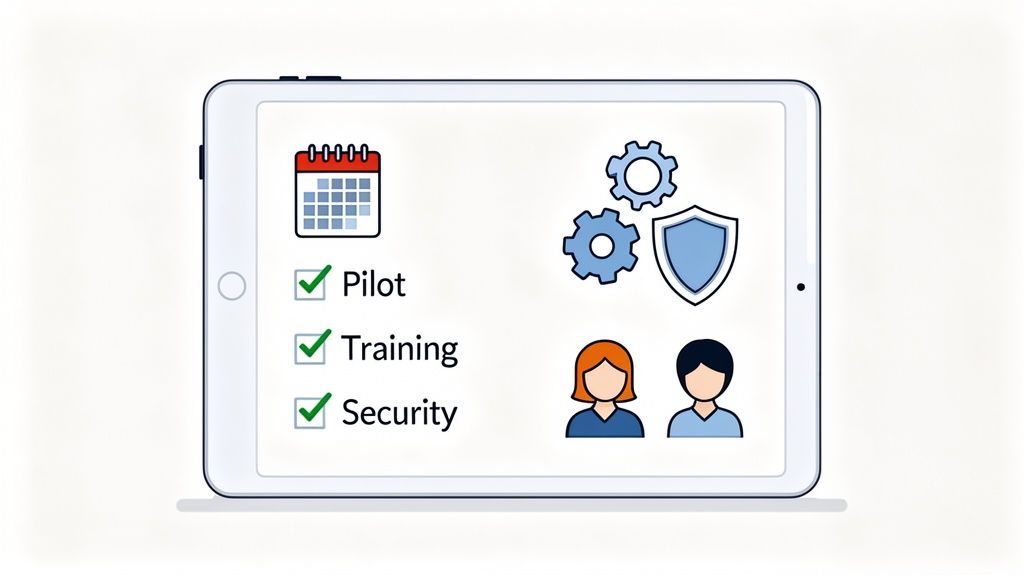
# Phase 3: Pilot, Train, and Go Live
Do not roll out a new CTI system to the entire company at once. A pilot program is a safety net that lets you find and fix problems on a small scale.
- Run a Pilot Program: Select a small group of users for the test. Include a mix of tech-savvy agents and some who might be resistant to change. Let them use the system for a few weeks and collect detailed feedback.
- Train Your Team Properly: Explain why the new workflow is better and how it makes their job easier. Hands-on training sessions and clear documentation are necessary.
- Address Security and Compliance: Make sure your CTI setup is compliant with any data security standards that apply to you, like GDPR or HIPAA. This is critical for call recordings and customer data storage.
- Launch and Measure: After fixing any issues from the pilot, roll it out to the full team. Immediately start tracking the metrics you defined in Phase 1. This is how you prove the ROI.
Building a new communication hub is a big project. For more ideas on how to build out your team's workflow, check out our guide to a modern contact center setup (opens new window).
# Common CTI Questions, Answered
Here are answers to some common questions about CTI.
# Is CTI Just Another Name for VoIP?
No, but they work well together.
VoIP (Voice over Internet Protocol) is your phone line running over the internet. It's the technology that lets you make and take calls.
CTI is what connects that phone line to your computer and business software. It’s what makes your CRM show a customer's information when they call.
You need VoIP to make the call. You need CTI to make the call productive.
# Will I Need a Whole New Phone System for This?
Probably not. If you're using a modern business phone system—especially a cloud-based one like a CCaaS platform—it was likely built with CTI in mind. Most of these platforms have ready-to-go integrations or open APIs that make connecting your other tools straightforward.
If you’re still running an old on-premise PBX, you might need extra hardware or middleware to bridge the gap. The best first step is to check your phone system provider's website. If you see an "Integrations" page listing tools like Salesforce (opens new window) or HubSpot (opens new window), you’re in good shape.
Pro Tip: Look for "API documentation" on your phone provider's site. It’s a clear sign that they are ready for CTI.
# How Does This Actually Help Remote Teams?
CTI is very useful for distributed teams. Since everything runs on software, an agent gets the same integrated desktop whether they're at the office or at home.
They get the same screen pops. They can still use click-to-dial from the CRM. Every call gets logged automatically.
This is a necessity, not just a convenience. It means your workflows remain consistent, productivity stays high, and managers can track performance without needing everyone in the same room. It makes working from anywhere just as connected as being in the office.
Professionals in back-to-back calls need simple, reliable controls. MuteDeck applies the idea of unified control to your meetings. It connects Zoom (opens new window), Microsoft Teams (opens new window), Google Meet (opens new window), and more to a physical button on a Stream Deck or other device. No more searching for the mute icon—just one confident tap.
Grab your free MuteDeck trial (opens new window).