# Choosing The Right Virtual event software
What is virtual event software?
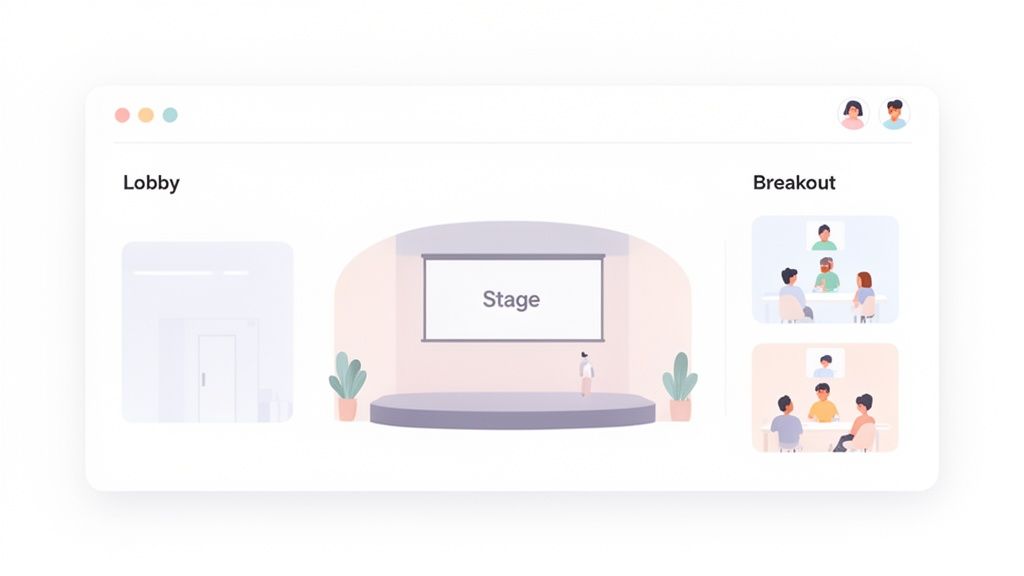
Think of it as the digital version of a physical venue. For a real-world conference, you'd rent a building with a lobby, an auditorium, and breakout rooms. Virtual event software does the same thing online. It's the framework that lets attendees network, watch presentations, and move between sessions in a self-contained, branded environment.
It’s the difference between cramming a hundred people into a chaotic video call and guiding them through a structured conference with a clear agenda.
This is not a small niche. The global virtual events market is projected to grow from USD 98.07 billion in 2024 to an estimated USD 297.16 billion by 2030. Companies are finding they can save up to 75% compared to in-person events while reaching a global audience without anyone booking a flight. You can find more numbers in this virtual event platform market report (opens new window).
# The Core Building Blocks
Every virtual event platform is built around a few key components. Knowing these helps you understand what you're paying for and what makes them more than a glorified video stream.
These are the essentials you'll find in almost any platform.
# Core Components of Virtual Event Software
| Component | Function | Example Use Case |
|---|---|---|
| Registration and Ticketing | The digital front door. Manages sign-ups, payment processing, and confirmation emails. | Creating different ticket tiers, like a free "General Admission" and a paid "VIP Pass." |
| Event Hub or Lobby | The central navigation point. Shows the agenda, sponsor info, and links to different sessions. | Attendees land here after logging in to get an overview of the day's schedule. |
| Session Streaming | The main stage. Delivers live or pre-recorded video content to the audience. | Broadcasting a keynote speaker's presentation to thousands of viewers in real-time. |
| Engagement Tools | Features that make the event interactive, like live chat, Q&A, and real-time polling. | An attendee asks a question via the Q&A module, and others can upvote it for the speaker to see. |
| Analytics and Reporting | Post-event data. Tracks attendance, session popularity, engagement rates, and more. | Reviewing which breakout sessions had the highest viewership to plan content for the next event. |
Without these, you just have a video feed. With them, you have a manageable and measurable event. They provide the structure to guide hundreds or thousands of people through a digital gathering.
# Must-Have Features For Any Platform
Not all virtual event software is the same. Some are glorified video call apps; others are full-blown conference centers. The difference is a set of features that are non-negotiable for a serious event.
If a platform you're looking at is missing any of these, it's a sign it's built for simple meetings, not memorable events.
# Getting People Through The Door
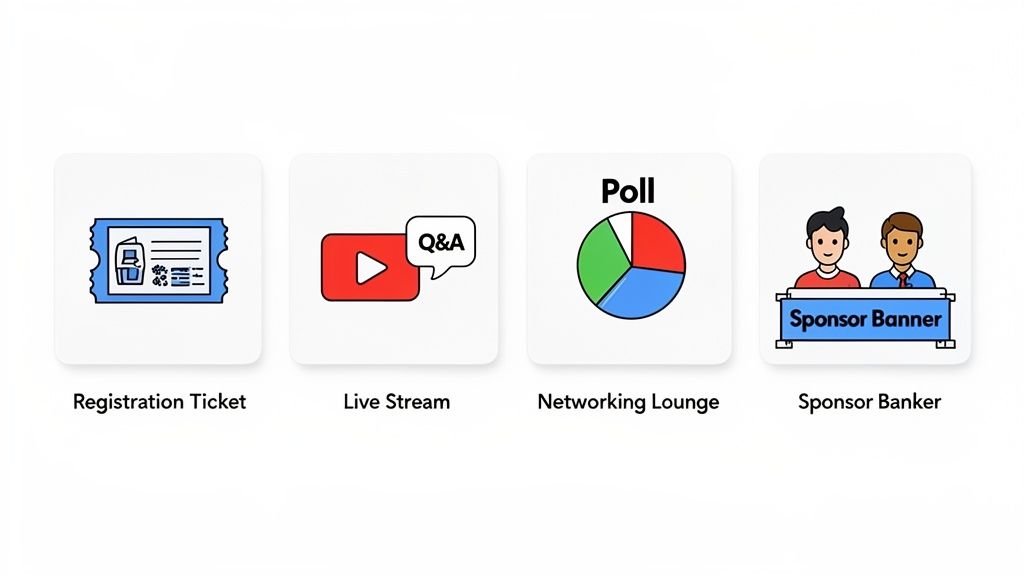
Before anyone can see your content, they have to sign up. This starts with registration and ticketing. A solid platform handles this for you, from collecting attendee info to processing payments.
For example, you should be able to create custom registration forms that ask attendees for their job title or industry. That data is gold for personalizing their experience, like suggesting relevant sessions or connecting them with the right people.
A clunky registration process is the first impression your event makes. If it’s confusing or broken, people will click away.
# The Main Stage: Streaming And Content Delivery
The heart of any virtual event is the content. Your software must deliver high-quality video without glitches, whether you’re broadcasting live or playing pre-recorded sessions. This is your main stage, and it has to work.
Look for these streaming capabilities:
- Live and On-Demand: The ability to stream in real-time and make sessions available for replay. This is useful for attendees in different time zones.
- Multi-Track Support: For larger conferences, you need to run multiple sessions at once. Attendees should be able to hop between virtual "rooms" as easily as they would in a real venue.
- Speaker Management: Simple controls that let your presenters manage their slides, share their screen, and control their audio without needing an AV degree.
A buffering wheel during the keynote is the kiss of death. Streaming stability is everything.
# Keeping The Audience Engaged
Staring at a screen for hours is draining. Engagement tools turn passive viewers into active participants.
The biggest challenge in a virtual setting isn't getting people to show up; it's getting them to stay and participate. Engagement tools are the solution.
Your toolkit should include:
- Live Chat: A running conversation where attendees can react, share ideas, and connect.
- Q&A Modules: A dedicated spot for questions where people can upvote their favorites. This helps moderators easily find what the audience wants to know.
- Audience Polling: A fast way to get instant feedback. A presenter can launch a quick poll mid-session to ask, "Which of these strategies will you try first?"
These tools break up the monologue and give your audience a voice.
# Creating Space For Connection
Replicating the spontaneous "hallway conversations" of in-person events is tough. This is where networking features help.
Virtual lobbies and networking lounges are digital spaces designed for interaction. The lobby acts as a hub, showing sponsor banners, the agenda, and key announcements.
Lounges can be text-based chat rooms organized by topic or video-based "tables" where small groups can have face-to-face chats. Some platforms use AI to suggest connections based on attendee profiles. As you evaluate these tools, remember that security is important; understanding the essential cybersecurity features for virtual meetings (opens new window) is a good step to keep these interactions safe and protect attendee data.
# Advanced Features That Create Better Events
The core features get the job done. Advanced tools can turn a simple broadcast into a memorable experience. They’re the reason you’d choose a dedicated virtual event platform over a standard meeting tool.
Take customizable branding. This feature lets you replace the platform’s logo with your own, change the colors to match your brand, and create a cohesive look. When an attendee logs in, it feels like your event, not just another call on a generic site.
This flowchart shows how different event goals demand different tools.
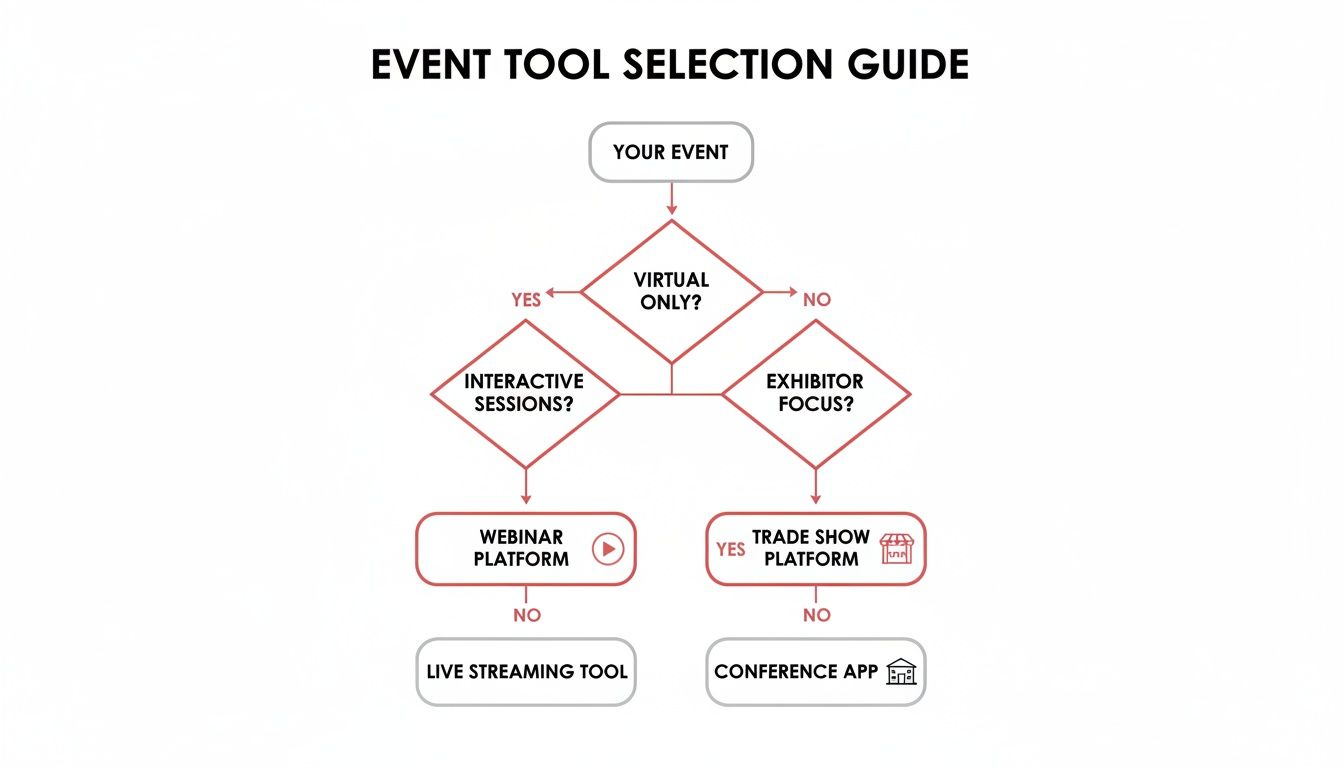
While every event needs to stream video, the right advanced features depend on what you want to achieve—whether that's running interactive workshops or giving exhibitors a place to show their products.
# Data Analytics For Event ROI
One of the most powerful features you’ll find is detailed analytics. Basic platforms might tell you how many people showed up. A good one tells you what they did.
This data is useful for measuring engagement and proving your event’s ROI. For example, you can see:
- Session Popularity: Which talks had the best attendance and the longest watch times? This tells you what content connected with your audience.
- Engagement Metrics: Who participated in polls, asked questions, or used the live chat? This helps you spot your most engaged attendees.
- Sponsor Interactions: Which sponsor booths got the most traffic? How many people downloaded a sponsor’s white paper?
This is the kind of detail that takes you from guessing to knowing. You can give your sponsors real numbers on lead generation and use the attendee data to improve your next event.
# Facilitating Deeper Connections
Real connections don't happen in a massive keynote. They happen in smaller, focused groups, and the best platforms have tools built for that.
Breakout rooms are a classic example. An organizer can split a main session of 500 people into 50 smaller groups of 10 for a workshop. This allows for real conversations that are impossible in a large webinar.
Sometimes, these advanced capabilities come from connecting networking gear with conferencing software, like with a Cisco Meraki Webex integration (opens new window).
The goal of advanced networking isn't just to connect people, but to connect the right people. Random chats are good; curated introductions are better.
Some platforms use AI-powered matchmaking to take things a step further. This feature scans attendee profiles—job titles, industries, and interests—to suggest people who should meet. An attendee might get a notification saying, "You and Jane Smith are both marketing managers in SaaS. You should connect!" It automates the hardest part of networking: finding relevant people in a crowd.
# Specialized Tools for Trade Shows
Virtual trade shows have their own requirements. Good software addresses them.
Virtual exhibitor booths are the main feature. These are not static pages with a logo. They are interactive hubs where sponsors can do business. They can:
- Host Live Demos: Exhibitors can run their own live video sessions from their booth to show off their products.
- Capture Leads: Attendees can click a button to share their contact info or book a meeting with the sales team.
- Share Content: Booths become a library for marketing materials like brochures, case studies, and videos.
Features like these turn a sponsorship into an active lead-generation machine, delivering measurable value to the companies that fund your event.
# Matching The Platform To Your Event Type
Not all virtual event software is the same. Choosing the wrong one is like bringing a scooter to a car race—it won’t work.
The features you need depend on the event you're hosting. Overpaying for a complex conference platform to run a simple webinar is a waste of money. Trying to host a multi-day conference on a basic meeting tool is a recipe for disaster.
The goal is to find the right fit. When you match the platform to your needs, you create a smoother experience for your attendees and a less stressful one for your team.
# For Webinars, Strong Presentation Tools Are Key
Webinars are focused, presenter-led sessions. Think of them as a digital lecture hall. The audience is there to consume content, so the software needs to make that experience as seamless as possible. You aren't trying to replicate a bustling conference floor; you're trying to deliver a presentation.
For a webinar, your feature checklist should include:
- High-Quality Streaming: Your video and audio must be crisp. If the stream lags, you lose your audience.
- Robust Q&A Management: A simple chat box gets chaotic. You need a dedicated Q&A module where attendees can submit questions and upvote others, helping moderators find the most relevant topics.
- Engagement Tools: Features like live polling and hand-raising keep the audience from zoning out. A quick poll can break up the presentation and give you real-time feedback.
- Recording and On-Demand Access: A huge part of a webinar's value is the replay. Your software should make it simple to record the session and share it afterward.
You don't need virtual lobbies or complex networking lounges for this. Simplicity is your friend. If you're looking for more guidance, our guide on how to run a successful webinar (opens new window) covers the entire process.
# For Virtual Conferences, It's All About The Experience
A virtual conference is a different beast. It’s a multi-faceted event with dozens of sessions, speakers, and networking opportunities happening at once. Here, the software is less of a lecture hall and more of a digital convention center with a main stage, breakout rooms, and an expo hall.
Key features for a virtual conference platform include:
- Multi-Track Agendas: Attendees need to see a complex schedule, build their own itinerary, and move between concurrent sessions.
- Virtual Lobbies and Networking: These spaces are needed to replicate the spontaneous connections of an in-person event. Look for features like topic-based chat rooms or AI-powered matchmaking.
- Sponsor and Exhibitor Booths: Your sponsors need a space to interact with attendees, share materials, and capture leads. A simple logo on a webpage won't do it.
- Detailed Analytics: You need to track not just who attended, but which sessions they joined, which sponsors they visited, and how long they stayed.
The platform's ability to create a cohesive, branded environment is important. This is where you invest in a solution that makes thousands of attendees feel like they're in the same place.
# For Internal and Hybrid Meetings, Security Comes First
When the event is for your own team—like a sales kickoff or a company all-hands—the priorities shift. While engagement matters, security and integration become the main concerns. You're often discussing sensitive company information, so the platform has to be locked down.
For these meetings, look for:
- Robust Security Controls: Features like SSO (Single Sign-On), end-to-end encryption, and role-based access control are non-negotiable.
- Calendar and Tool Integrations: The platform should connect with the tools your company already uses, like Outlook, Google Calendar, and your CRM.
- Ease of Use: For internal events, friction is the enemy. The platform should be intuitive enough that employees can join and participate without a long tutorial.
Web-based platforms are popular for a reason. Forcing attendees to download an application creates an unnecessary barrier. Market data shows web-based platforms are projected to hold a 48.43% share of the virtual events market in 2025 because they just work. This trend is part of a market expansion expected to grow from USD 15.14 billion in 2025 to USD 25.06 billion by 2030. You can find more data on the growth of the virtual events market on Mordor Intelligence (opens new window).
# A Practical Checklist For Picking Your Software
Choosing virtual event software is a headache. You're buried in feature lists and sales pitches, and every platform claims to be the best. The key is to cut through the noise with an evaluation plan. It’s not about finding the platform with the most features—it's about finding the one that won't let you down on event day.
You’re not just buying software; you're buying reliability.
# Questions for Technical and Support Evaluation
The bedrock of any virtual event is technical stability. If the stream dies or attendees can't get in, every other feature is pointless. Your first questions should be about reliability, scale, and what happens when things go wrong.
Get to the point with the vendor:
- What kind of tech support do I get during a live event? Is it a chatbot or a real human I can call? Get a guaranteed response time.
- Can your platform handle our expected crowd? Don't just take their word for it. Ask for case studies from events of a similar size. A platform that's fine for 100 people might buckle under the strain of 10,000.
- What’s your uptime guarantee? Push for a number like 99.9% and ask what happens if they don't hit it.
- How do you protect our attendee data? This is a big one for GDPR and other compliance rules. Where are the servers, and what security measures are in place?
The single biggest mistake people make is getting wowed by flashy features and ignoring the boring stuff. An amazing AI-powered networking tool is useless if the video stream is choppy. Vet the fundamentals first.
# Questions for Integrations and Usability
Your event platform can't live on an island. It needs to work with the tools you already use, especially your CRM and marketing software. A smooth data flow saves hours of manual work and lets you follow up on leads while they're still hot.
- Does this integrate with our CRM and marketing automation? Get specific. Ask about Salesforce (opens new window), HubSpot (opens new window), or Marketo.
- How easy is this for our presenters to use? Demand a sandbox environment to test the speaker controls. A confusing interface will stress out your speakers.
You also need to know what happens to your data after the event. Can you easily export attendee lists, engagement stats, and chat logs? Make sure you own your data and can walk away with it. Our meeting preparation checklist (opens new window) provides a game plan to make sure nothing is missed.
# Understanding Common Pricing Models
Virtual event software pricing can be confusing, but most vendors use one of three main models. The right choice depends on how often you run events and how big your audience is.
# Pricing Model Comparison
This breakdown explains the common pricing structures for virtual event software.
| Pricing Model | Best For | Potential Downside |
|---|---|---|
| Per-Event | Organizations hosting one or two big annual conferences. | Gets expensive if you add more events later on. |
| Subscription (Annual/Monthly) | Companies running frequent webinars or quarterly all-hands meetings. | You might pay for months when you aren't hosting anything. |
| Per-Attendee | Events where the final number of attendees is unknown. | Costs can skyrocket if your event is more popular than planned. |
No matter which model you're considering, always demand a detailed quote that breaks down every line item. Watch for hidden fees for extra storage, dedicated support, or what happens if you go over your attendee limit. Getting a clear picture of the total cost upfront will keep your budget from being torpedoed.
# Beyond The Platform: Gaining Better Host Control
Your virtual event software is the venue, but every presenter needs a control panel. Even the best platforms can leave you hunting for on-screen buttons, creating awkward pauses. This is where third-party tools and hardware come in, giving you tactile, consistent control over your digital stage.
Think about the "you're on mute" moment. It breaks the flow and can make a seasoned speaker look unprepared. It usually happens when you're juggling apps or switching between platforms like Zoom, Teams, and Webex, each with its own interface.
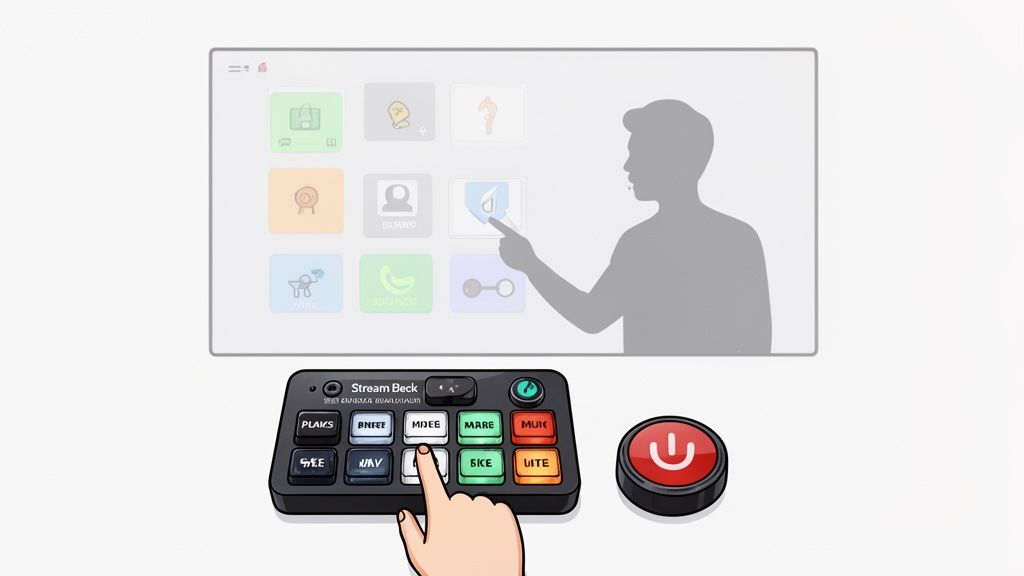
Dedicated hardware and software can solve this.
# Gaining Tactile Control Over Your Event
The solution is to separate core actions—like muting your mic or sharing your screen—from the platform's on-screen buttons. When you move those commands to physical buttons, you eliminate the frantic mouse-hunt.
A typical setup for pro presenters looks like this:
- A universal control tool: A utility like MuteDeck (opens new window) gives you a single set of controls that works across all major meeting apps. The same "mute" button works in Zoom, Teams, or Google Meet.
- A physical control surface: Pair that software with a device like an Elgato Stream Deck (opens new window), and you get programmable physical buttons. You can set one button to mute your mic, another to toggle your camera, and a third to start a recording.
This combination builds muscle memory. The mute button is always in the same physical spot, no matter what software is running. It frees up your mental energy to focus on your presentation, not the tech. You can learn more about the different meeting controls MuteDeck offers (opens new window).
# Using APIs for Custom Solutions
For an even slicker setup, you can use APIs to connect your meeting status to other devices. An API (Application Programming Interface) is a way for different pieces of software and hardware to talk to each other.
The most effective event hosts build a 'cockpit' of controls around them. They don't rely on a single screen and mouse; they use dedicated tools for dedicated jobs, ensuring nothing is left to chance during a live broadcast.
In practice, this allows for useful automations. For instance, you could connect your meeting software’s API to a smart light outside your home office. When your camera and mic go live, the light automatically turns red—a simple signal to your family that you're live on air.
This is the kind of control that goes beyond what standard virtual event software offers. It gives you a professional, reliable, and stress-free command center for running online events.
# Got Questions? We've Got Answers
Thinking about virtual event software? Here are straightforward answers to common questions.
# How Much Should I Expect To Pay For Virtual Event Software?
The costs are all over the map. A simple tool for webinars might cost around $100 per month for a basic plan that handles a few hundred people.
But a full-blown, multi-day conference is a different league. Those platforms can run anywhere from a few thousand dollars for a single event to over $50,000 for large, enterprise-level gatherings with thousands of attendees and dedicated support.
Always get a detailed quote. Be clear on attendee limits and what kind of live support is included in the price.
# Can't I Just Use Zoom Or Teams For A Big Conference?
You could, but it’s like trying to fit a square peg in a round hole. Tools like Zoom (opens new window) or Microsoft Teams (opens new window) are great for meetings and simple webinars. They are not built to create an immersive conference experience.
They lack features that make a virtual conference feel like a real event—virtual sponsor booths, agendas with multiple tracks, smart registration forms, and networking lounges. When you force a meeting tool to act like a conference platform, it usually feels clunky for everyone.
The most common mistake is getting wowed by flashy features instead of focusing on core stability and support. A platform with amazing AI-powered networking is totally useless if the main video stream crashes. Always, always prioritize reliability, ease of use, and access to a real human for support during your live event.
# What's The Biggest Mistake People Make When Choosing A Platform?
Focusing on features over fundamentals. It’s easy to get distracted by things like AI matchmaking or gamification. But none of that matters if the core video stream is laggy or your speakers can't figure out the platform.
Your real priorities should be solid reliability and responsive customer support—especially the kind you can reach during your live event. A stable, simple platform that works is better than a feature-packed one that's at risk of crashing.
The virtual events market is growing, pushed by the rise of hybrid work. It was valued at USD 243.0 billion in 2025 and is projected to hit USD 1,057.9 billion by 2034, with over 70% of companies planning virtual or hybrid events. As this tech becomes standard, picking a stable partner is more important than ever. You can dig into these virtual events market trends on IMARC Group (opens new window).
Stop fumbling for the mute button. MuteDeck gives you a universal control panel for all your meeting apps, so you can present like a pro without the technical headaches. Get your free 7-day trial of MuteDeck (opens new window)